Wedding anniversary photos are meaningful image records for both young and old couples. Traditional wedding photos require booking professional photography agencies in advance, trying on makeup and clothes, selecting suitable weather and venues, which is expensive, time-consuming, and offers limited choices.
Moreover, elderly couples often find it difficult to cope with the complicated shooting process, making it impossible to take wedding anniversary photos, which becomes a regret. AI-generated wedding anniversary photos can help us save time, effort, and money, while offering greater freedom in styling.
Let’s Look at the Effects First
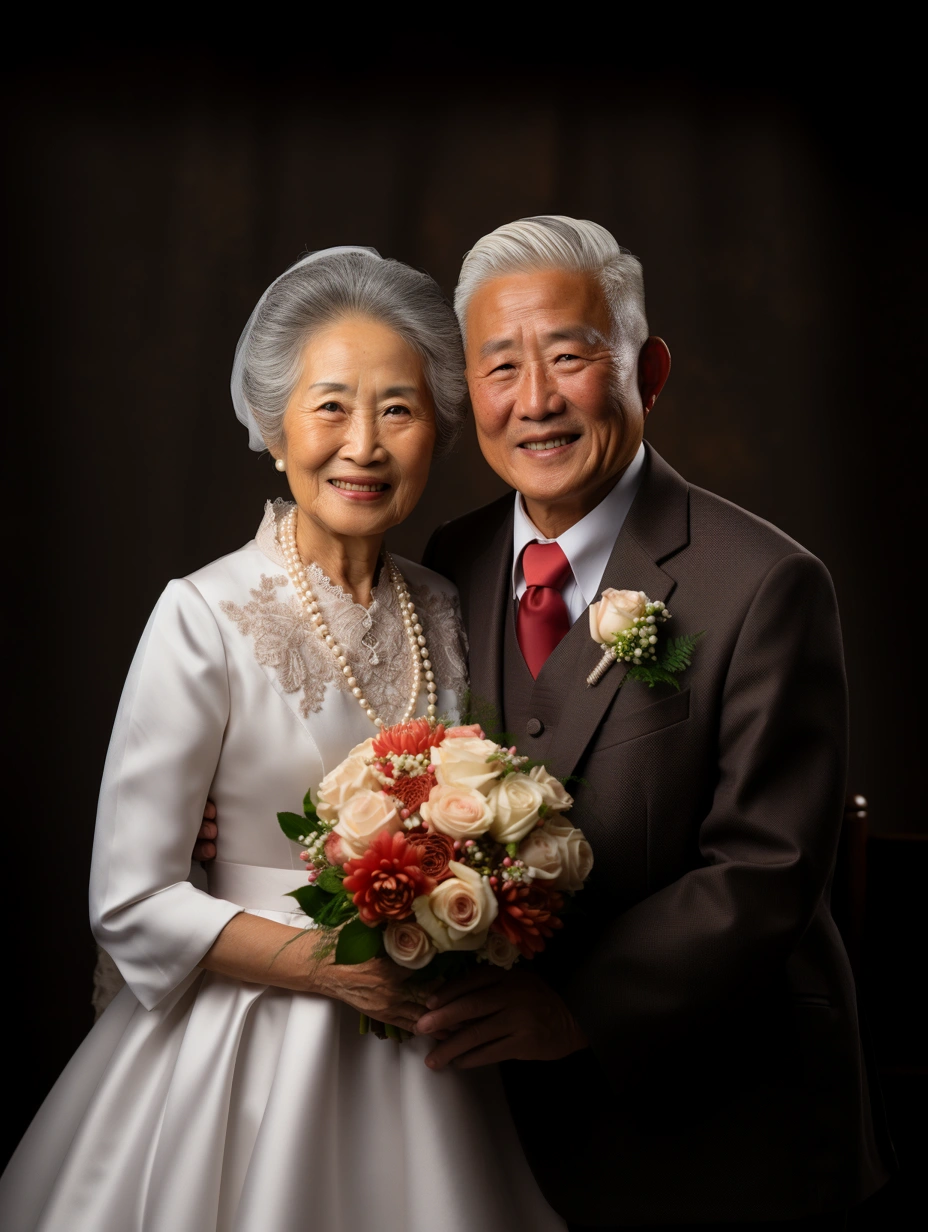
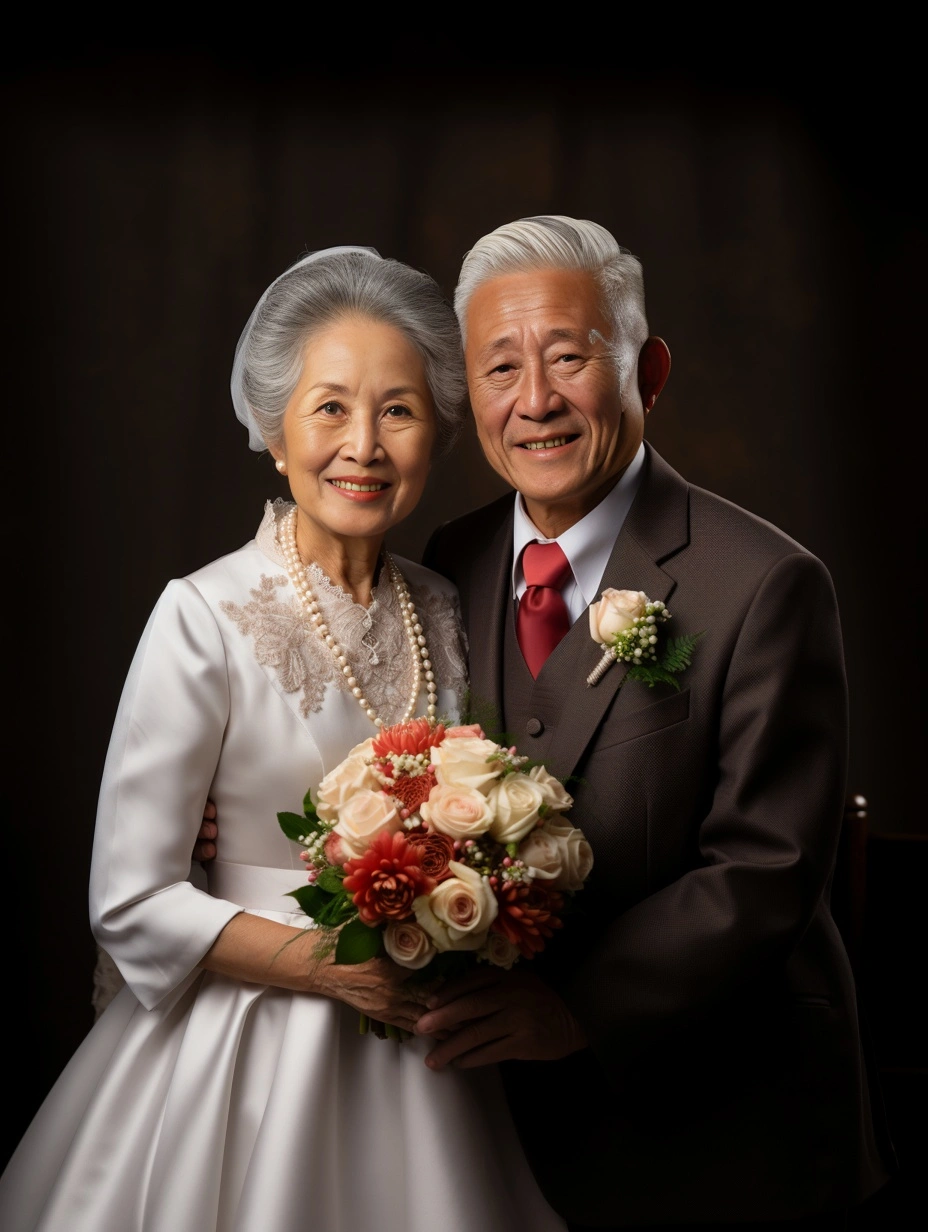
AI painting technology can master various character image drawing techniques through extensive data training, making the facial expressions and clothing details of the elderly wedding anniversary photos more accurate. The effect after face-swapping for the elderly couple is particularly realistic. There’s no need for elderly users to go to physical stores for tiring photo shoots, and it’s not limited by time and place. Elderly wedding anniversary photos can be quickly created anytime, anywhere.
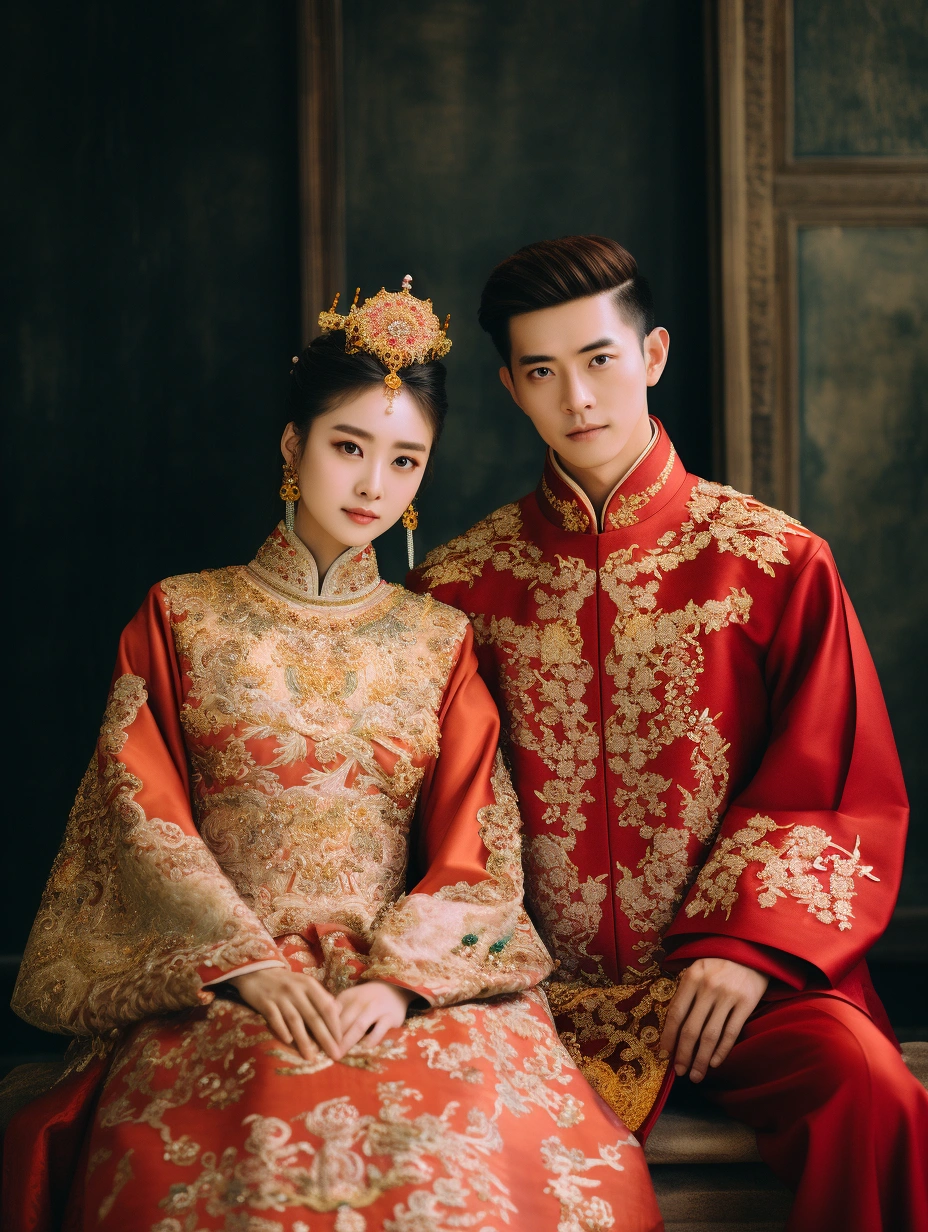
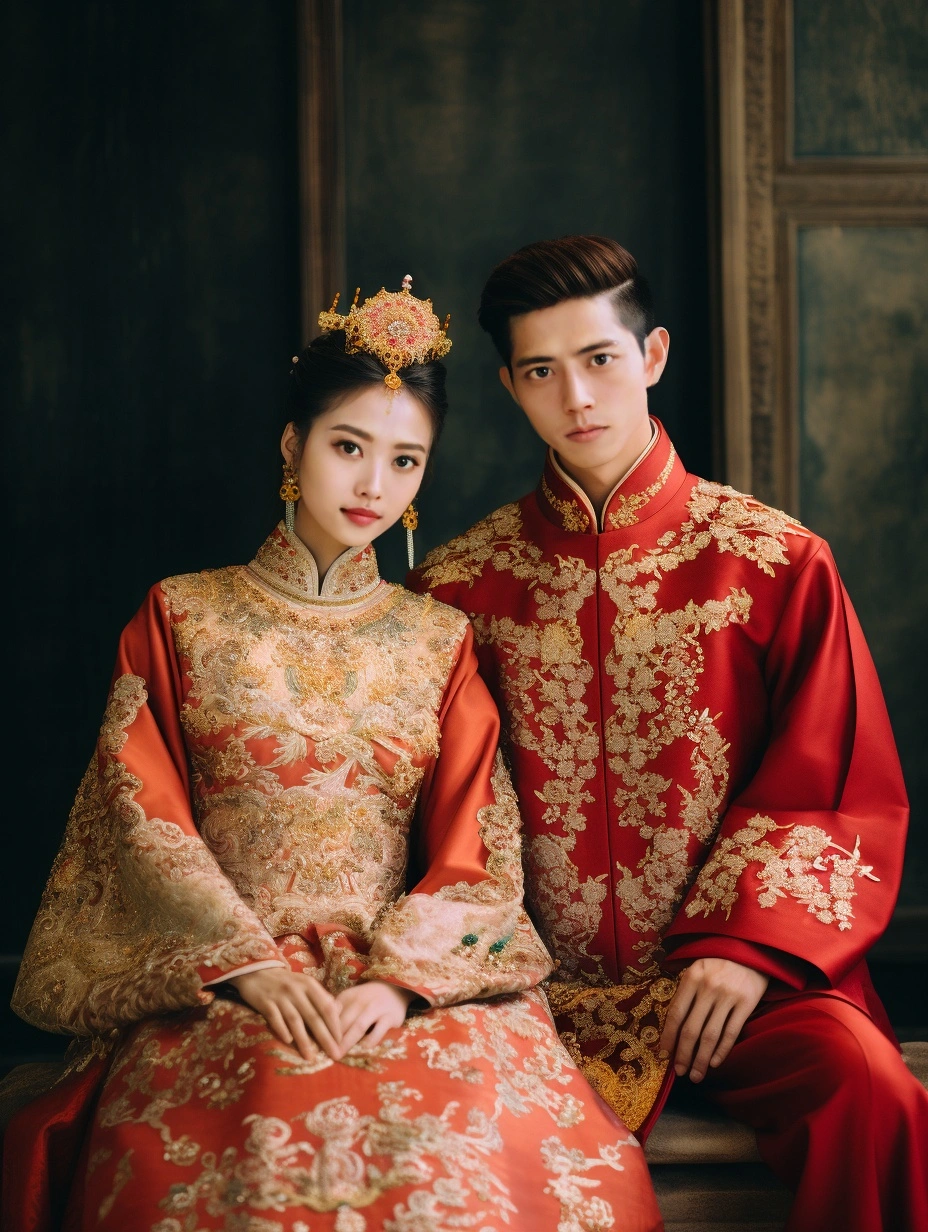
Compared to traditional shooting methods, using AI painting technology to create wedding anniversary photos can save a lot of costs, including manpower, material resources, and financial resources. AI can create diverse styles of wedding anniversary photos, providing more choices for users and meeting the personalized needs of young people. How can we achieve these AI-generated wedding photos? The method is simple. Today, I will explain it to you in detail. Follow my tutorial steps, and I’ll teach you in four steps.
Wedding Anniversary Photo Magic Word Formula
Formula: wedding photo style + character theme + travel location + camera + lighting + style + image quality
Magic word: wedding photo style
Auxiliary words: A portrait of a contemporary Chinese old couple, Grandpa with short white hair in a suit and grandma with long white hair in a wedding dress, smile, beautiful, The blue sea and a golden beach, The junction of the sea and the beach, Commercial Photography, full body portrait, A bright color, The natural light of the sun, 8K –ar 3:4
Here, I’ve summarized the keyword formula for generating wedding anniversary photos, as well as the five popular styles of wedding photography currently. Let’s try it out together!
Step One: Add Face-Swapping Bot
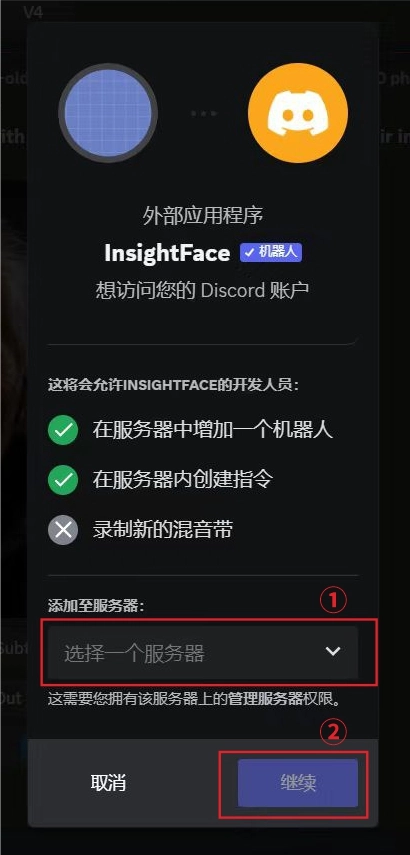
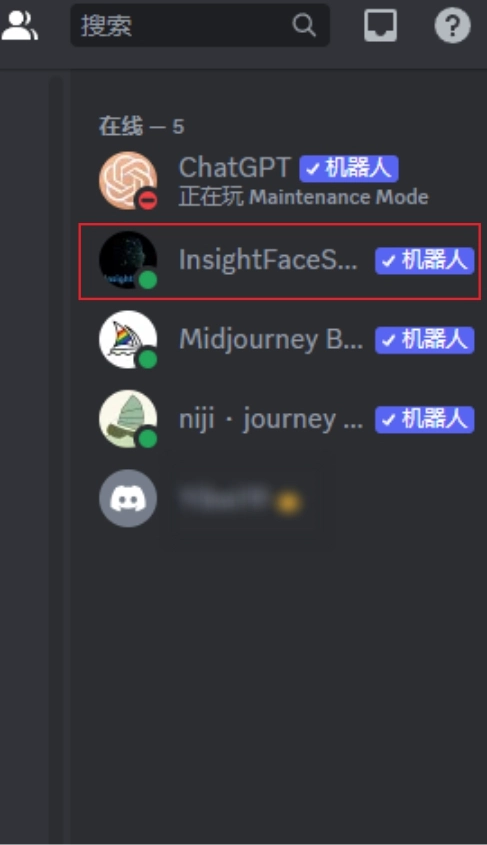
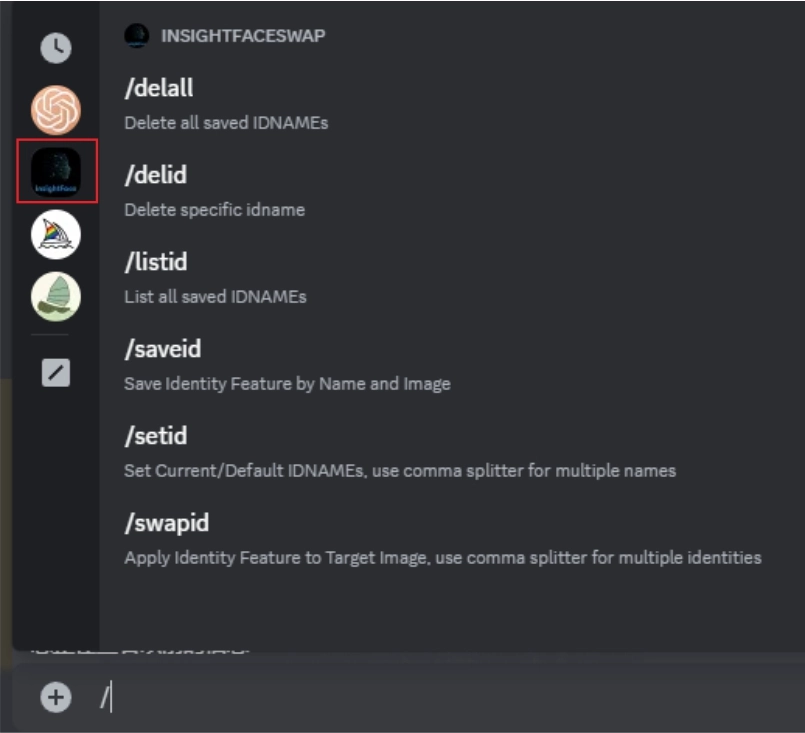
Image 1. Choose your own server, then click “Continue”.
Image 2. After successfully adding the bot, we can see the InsightFaceSwap bot in our own server.
Step Two: AI-Generated Elderly Wedding Anniversary Photos
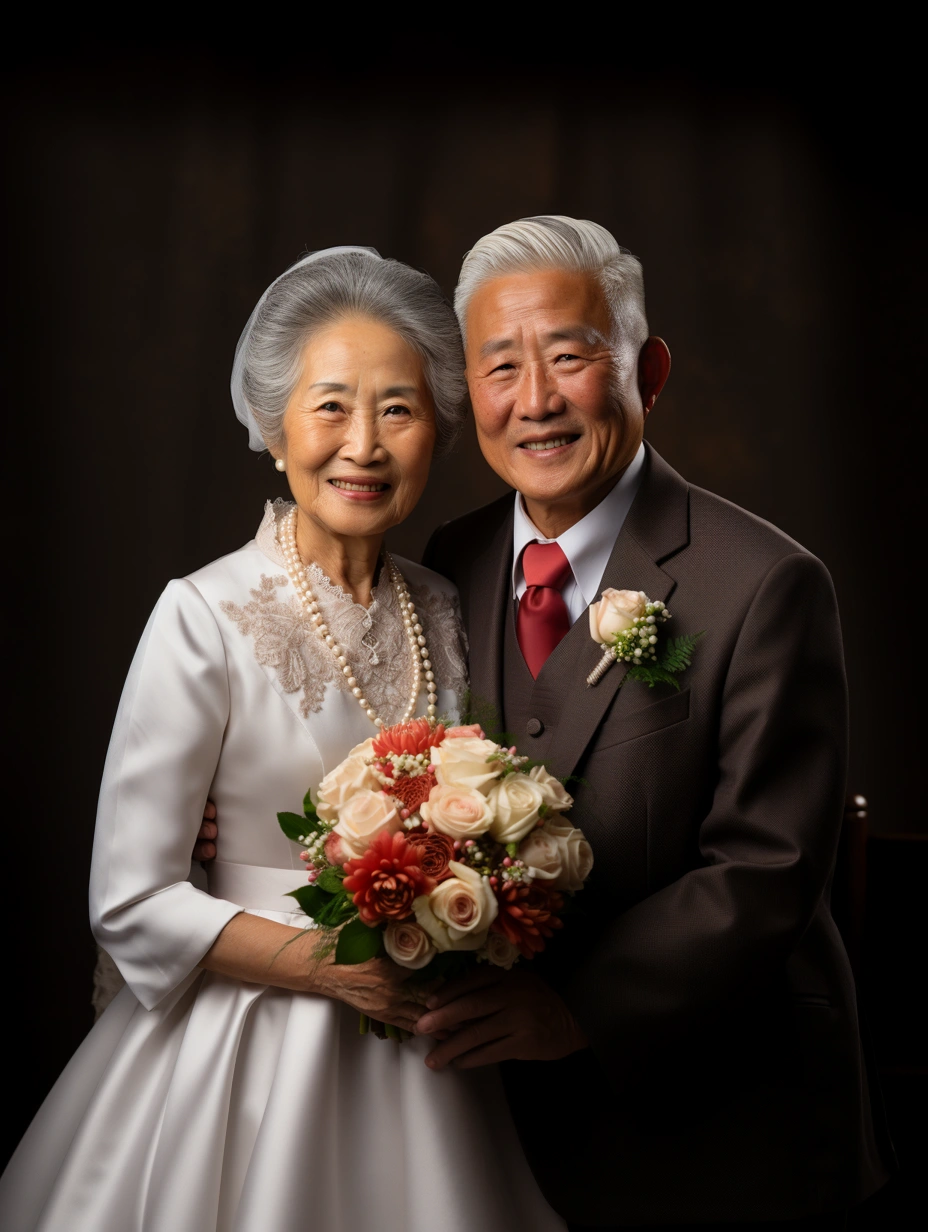
Magic words: Real photography for weddings, A portrait of a contemporary Chinese old couple, Grandpa with short white hair in a suit and grandma with long white hair in a wedding dress, smile, beautiful, Indoors, clean and simple background, Commercial Photography, Center the screen, full body portrait, light red background, studio light
AI will quickly generate high-quality elderly wedding anniversary photos based on your description of characters, scenes, and parameters.
The generated effect is satisfactory, but how do we swap faces?
Step Three: InsightFaceSwap Bot, Face Registration
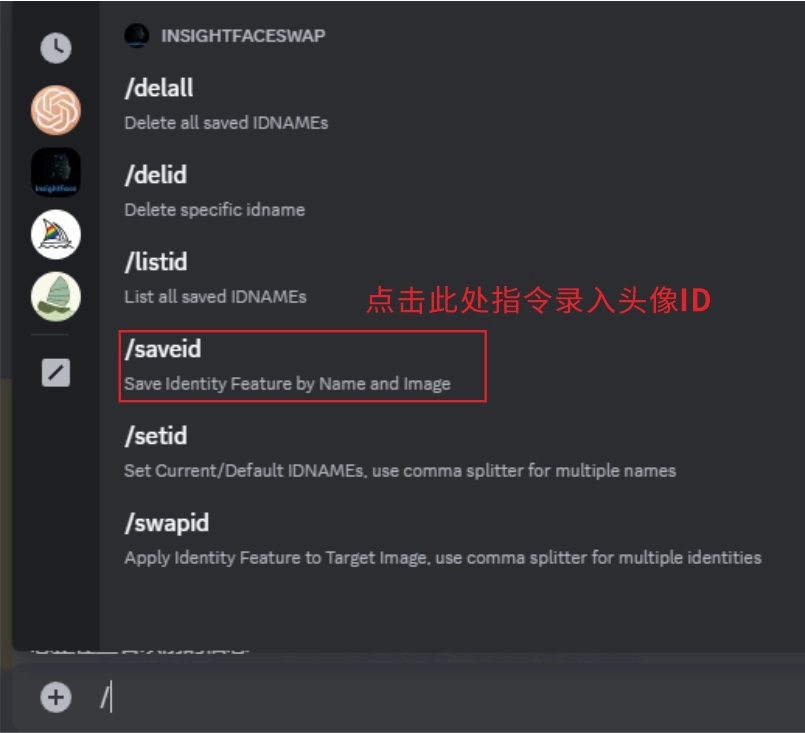
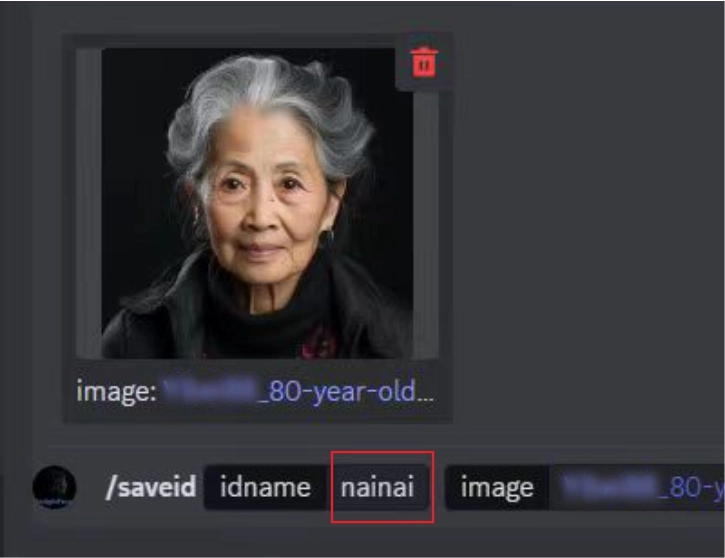
Step 1: In the Discord interface, enter the avatar ID command “/saveid”.
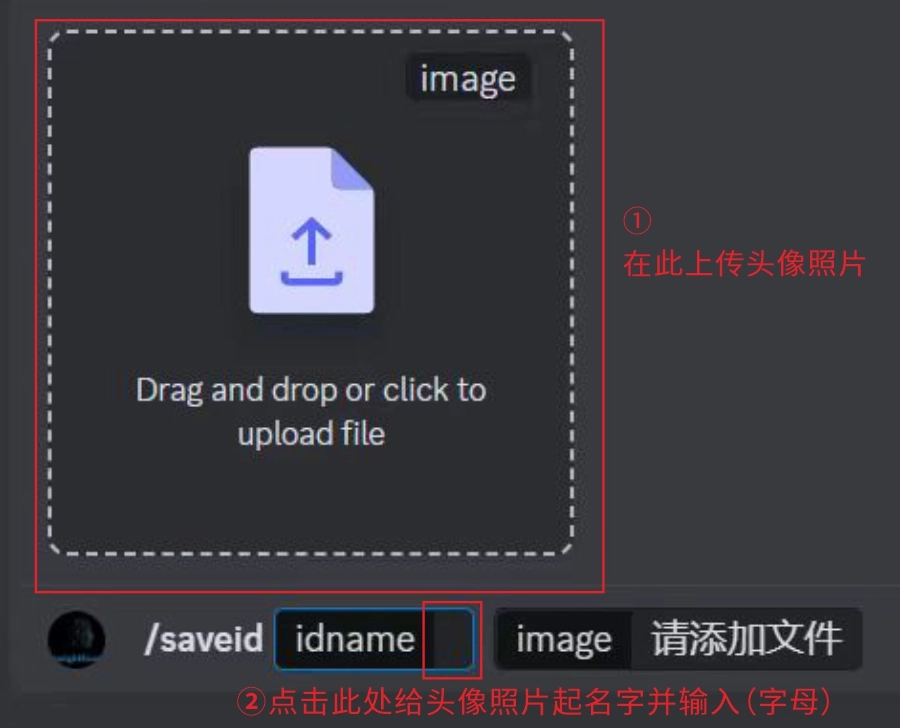
Step 2: Upload the avatar photo for face-swapping (it’s recommended to choose a clear, non-blurry front-facing photo).
Step 3: After “idname”, enter the name or code for the avatar photo (letters, English pinyin, numbers).
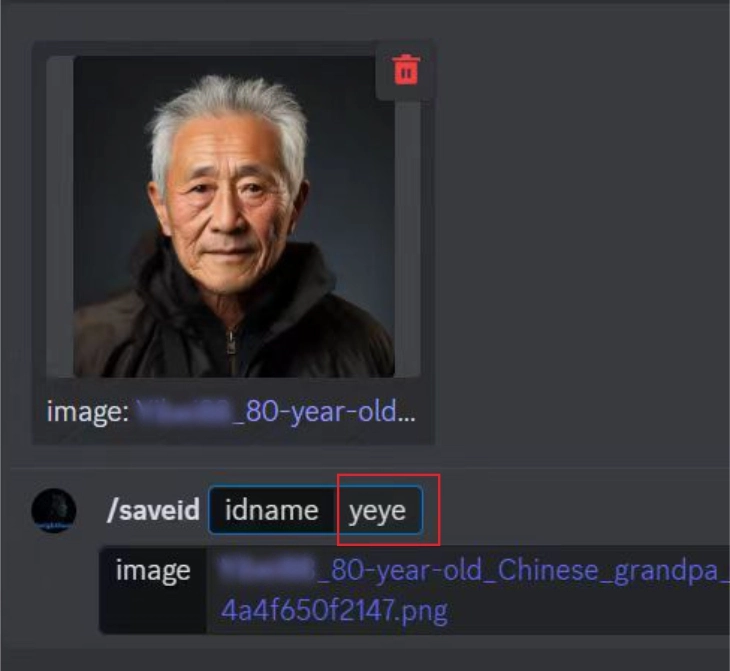
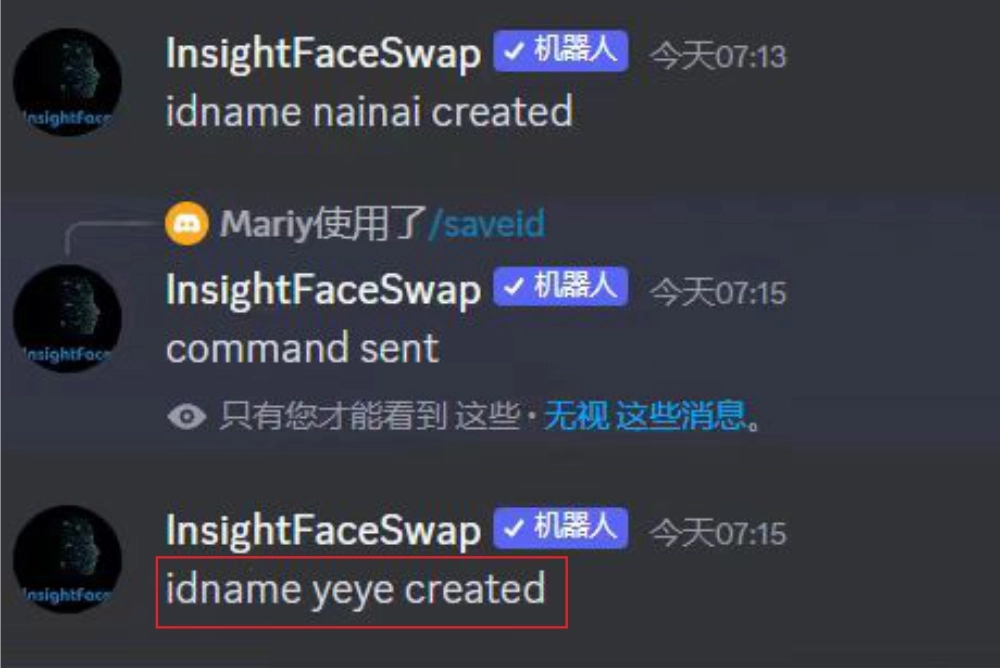
After entering the grandfather’s avatar photo code “yeye”, the InsightFaceSwap bot replies: “idname yeye created”, indicating that the avatar photo has been successfully registered! Next, you can swap faces on the base photo generated with magic words earlier.
Step Four: Face-Swapping Operation with InsightFaceSwap
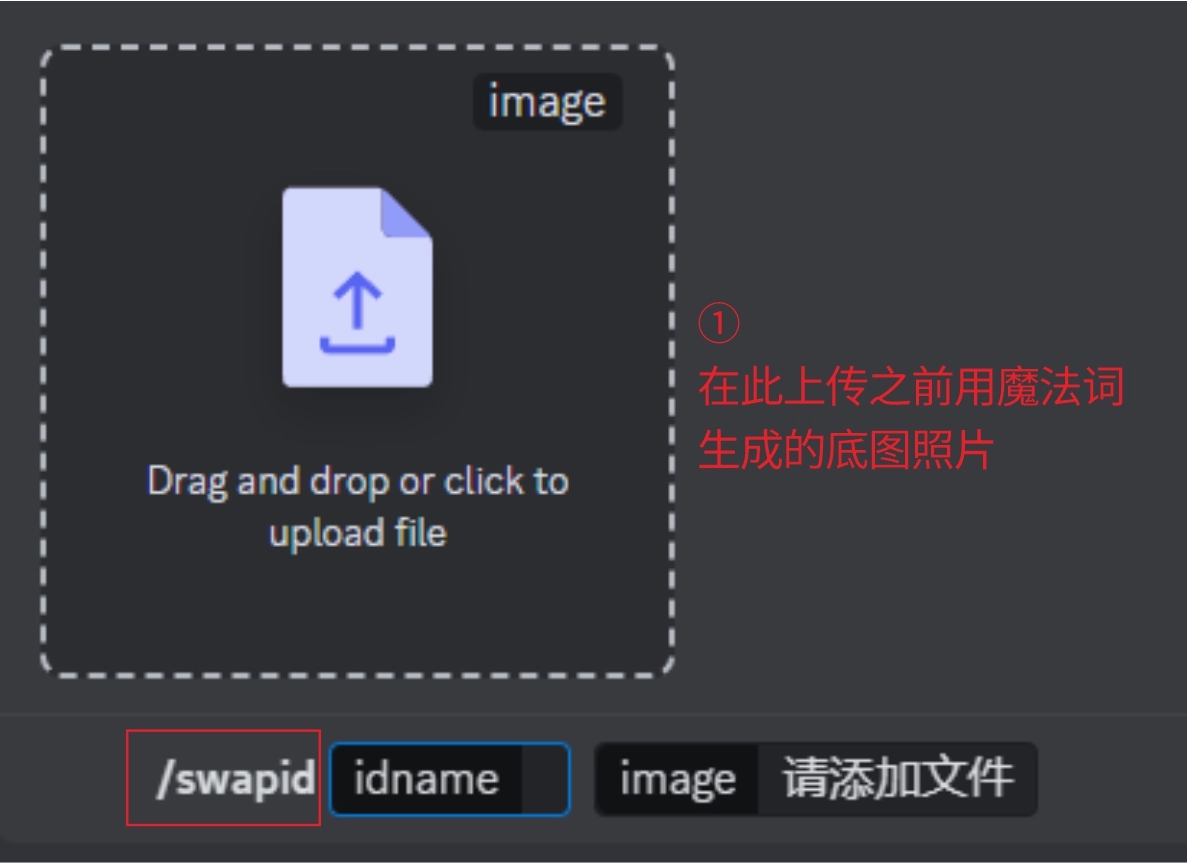
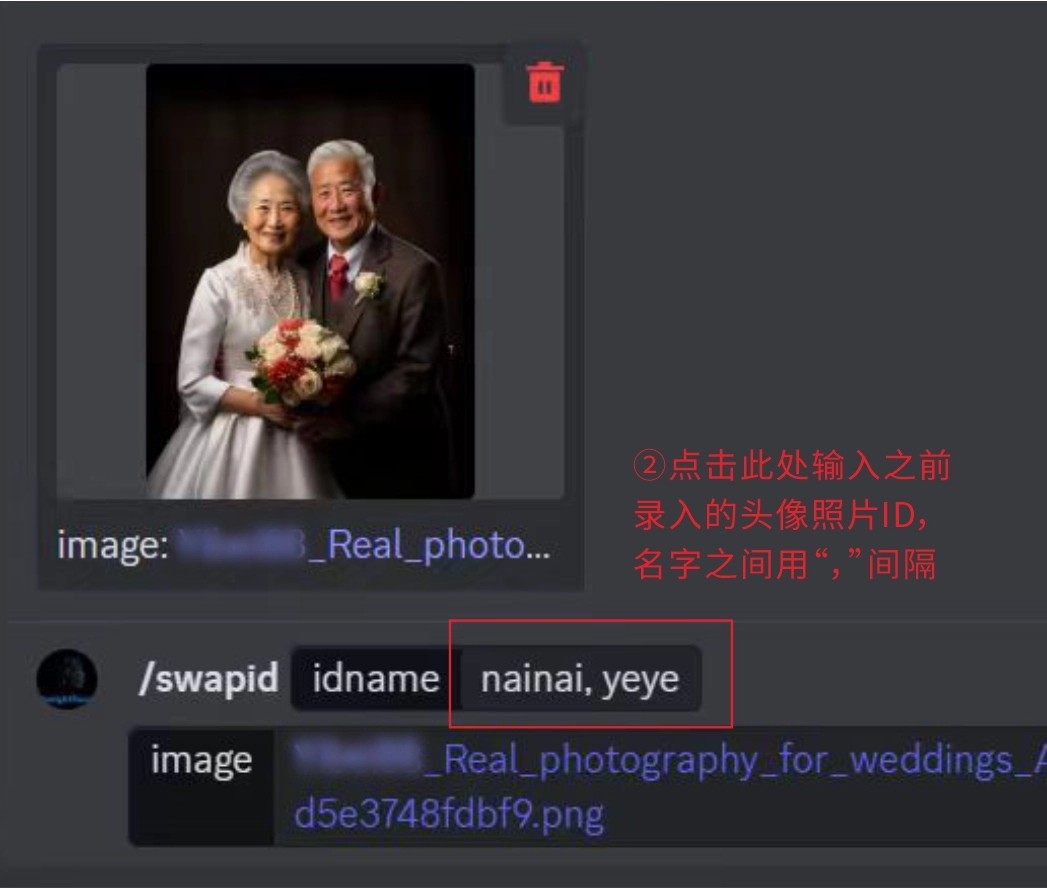
Step 1: In the Discord interface input field, enter “/” and select “/swapid”. This is the command to upload the base image for face-swapping, which will bring up the interface shown in the left image above. In the image frame, upload the grandfather and grandmother’s wedding anniversary photo generated earlier using magic words.
Step 2: After “idname” in the input field, enter the previously registered photo IDs for the grandfather and grandmother that need face-swapping, “yeye, nainai”. Remember to separate them with a comma “,” and press Enter to send the command.
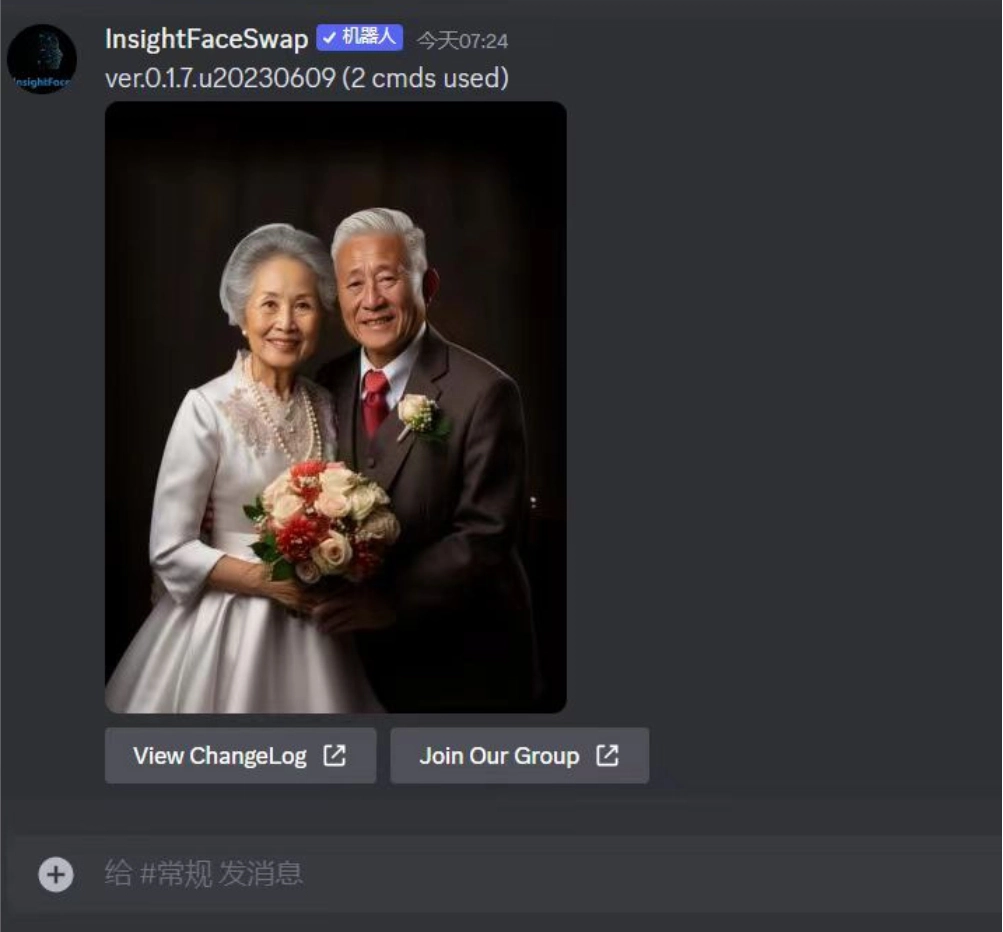
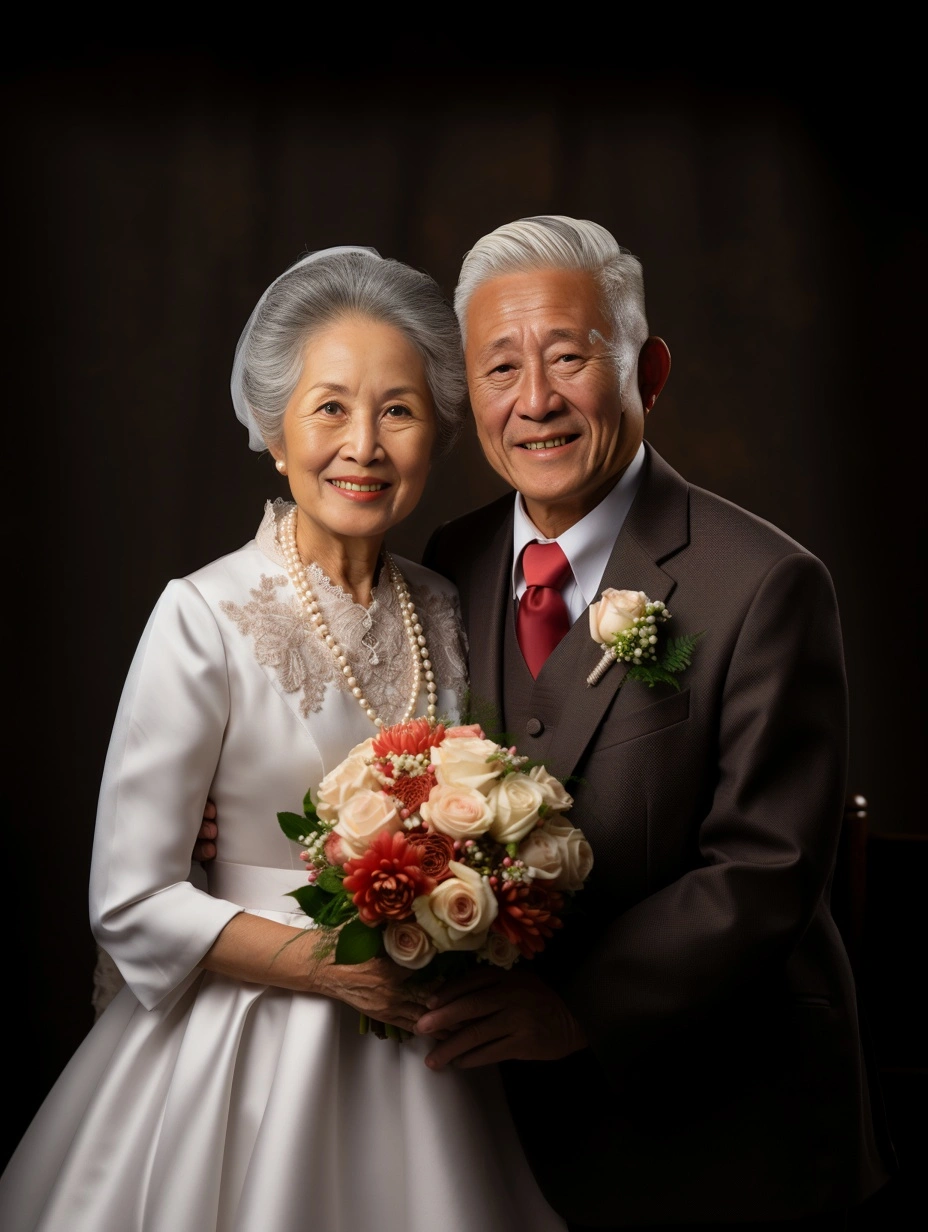
Tips for multiple face-swapping: When swapping faces for multiple people, enter the avatar photo IDs in the order of the characters in the base image.
For example: In the base image, if grandmother is on the left and grandfather is on the right, you need to enter “nainai, yeye” in the input field after “idname”, following the order of grandmother on the left and grandfather on the right.
How to Create Wedding Photos for Newlyweds
❶ First, use magic words to generate the base image
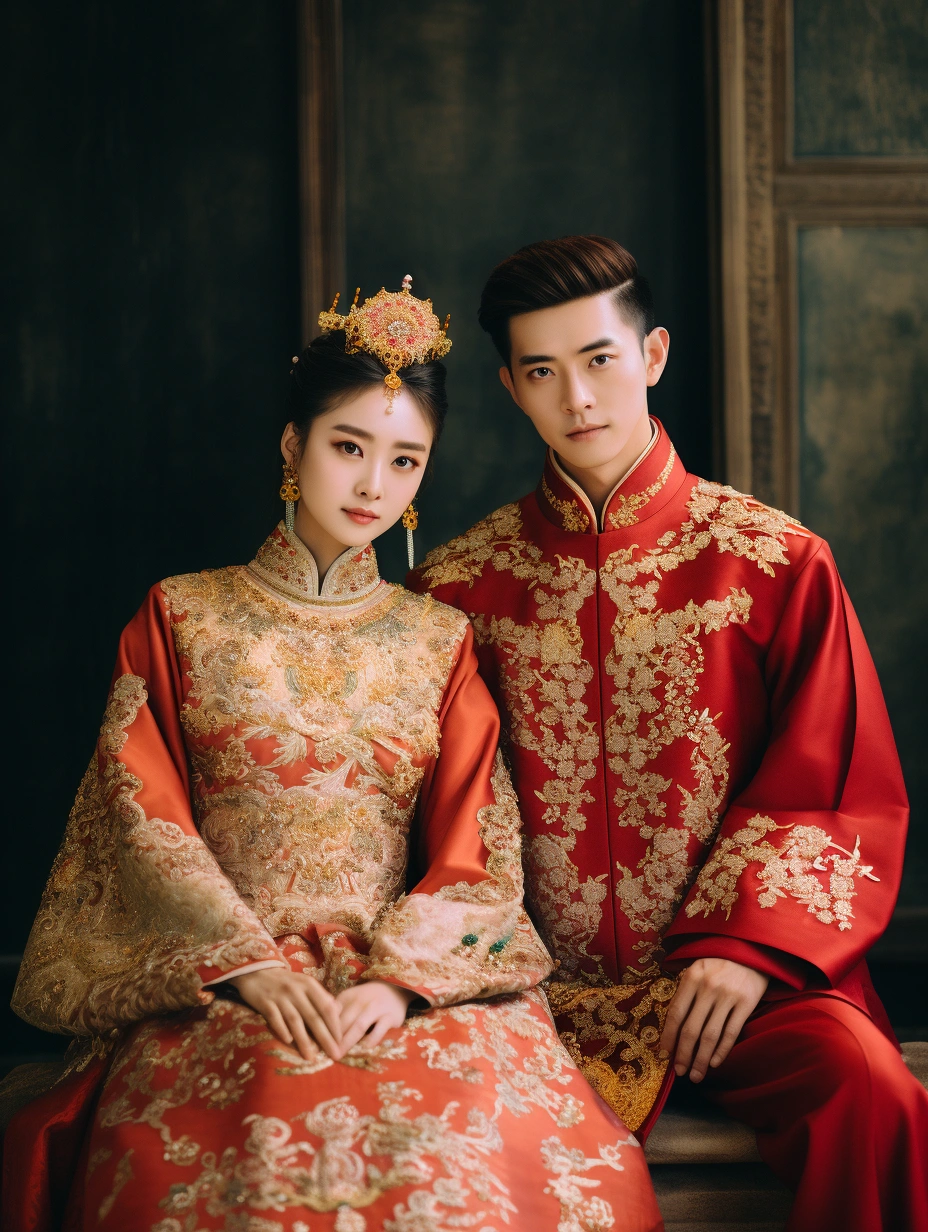
Magic words: full-body shot, A Chinese couple in red and gold Tang Dynasty Hanfu, They looked at the camera, girl’s hair pinned up with hairpins, a half-bun, High collar, pleated, embroidered, wide sleeved, robe, gorgeous, glossy, The magnificent Chinese palace is in the background, shot from a low Angle with a Canon eos camera, standard lens
❷ Use InsightFaceSwap bot to register the newlyweds’ faces
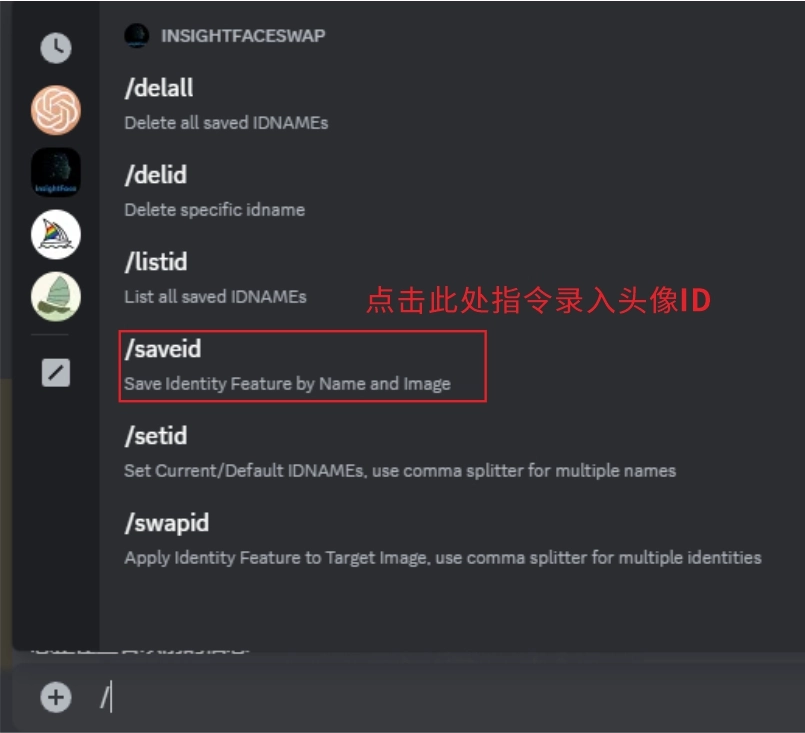
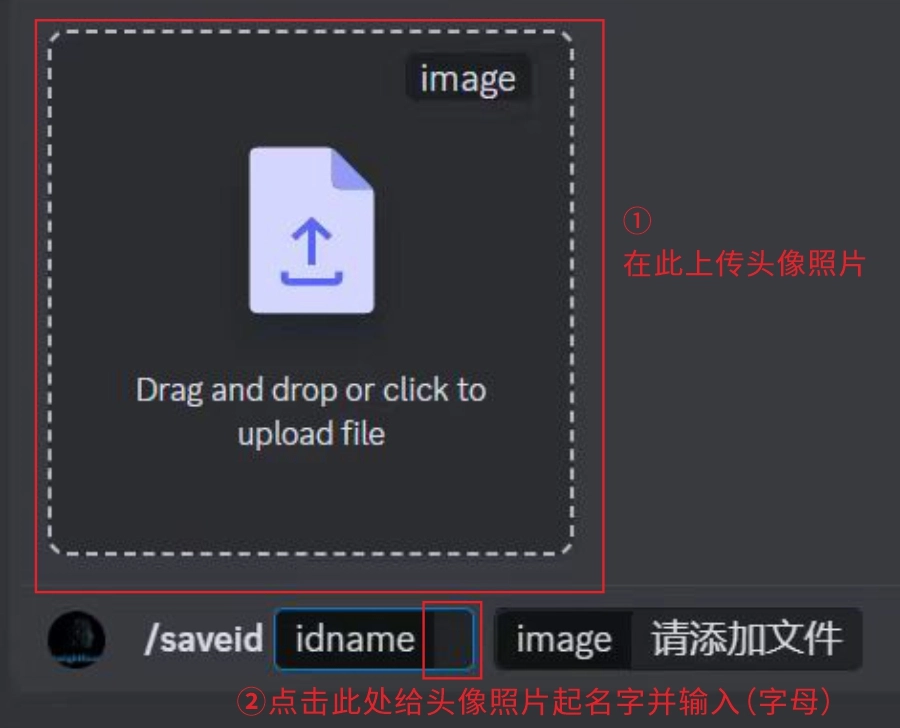
Step 1: In the Discord interface input field, enter the avatar ID registration command “/saveid”;
Step 2: Following the image on the right, upload the avatar photos for face-swapping (it’s recommended to choose clear, non-blurry front-facing photos);
Step 3: After “idname”, give names to the newlyweds’ face photos, here we call them “ali” and “ahao”.
❸ Use InsightFaceSwap for face-swapping operation
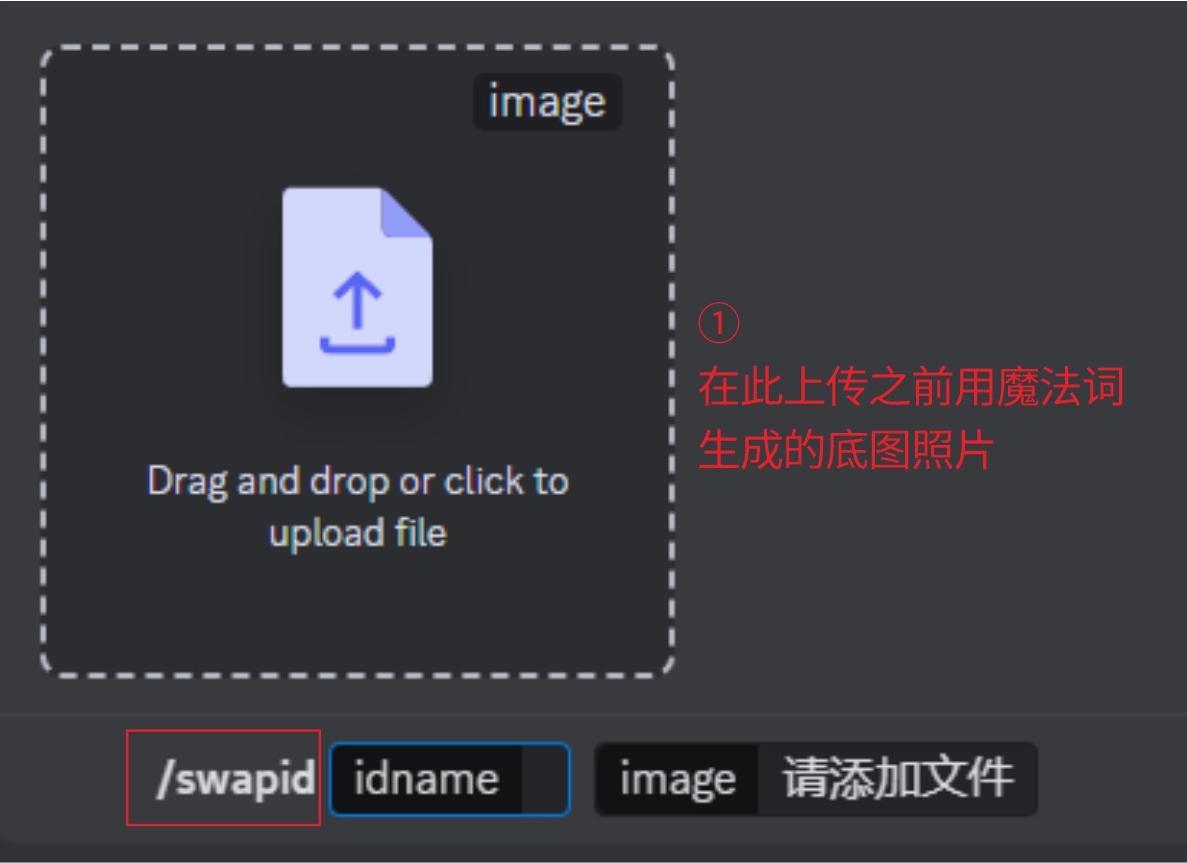
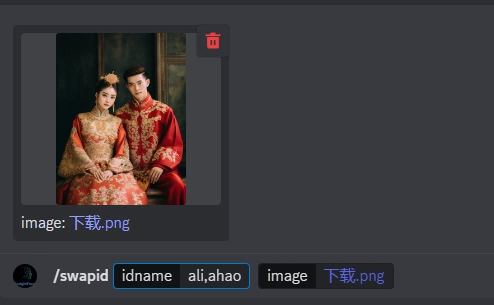
Step 1: In the Discord interface input field, enter “/” and select “/swapid”. This is the command to upload the base image for face-swapping, which will bring up the interface shown in the left image above. In the image frame, upload the grandfather and grandmother’s wedding anniversary photo generated earlier using magic words;
Step 2: After “idname” in the input field, enter the previously registered photo IDs for the newlyweds, “ali,ahao”. Remember to separate them with a comma “,” and press Enter to send the command.
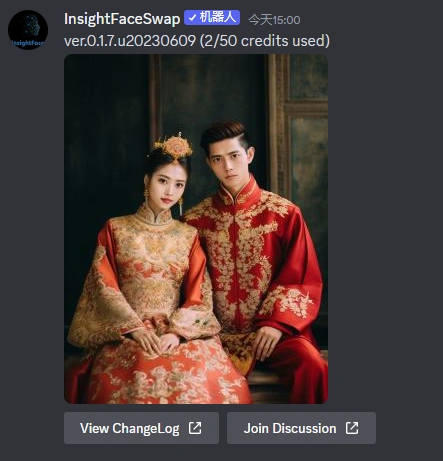
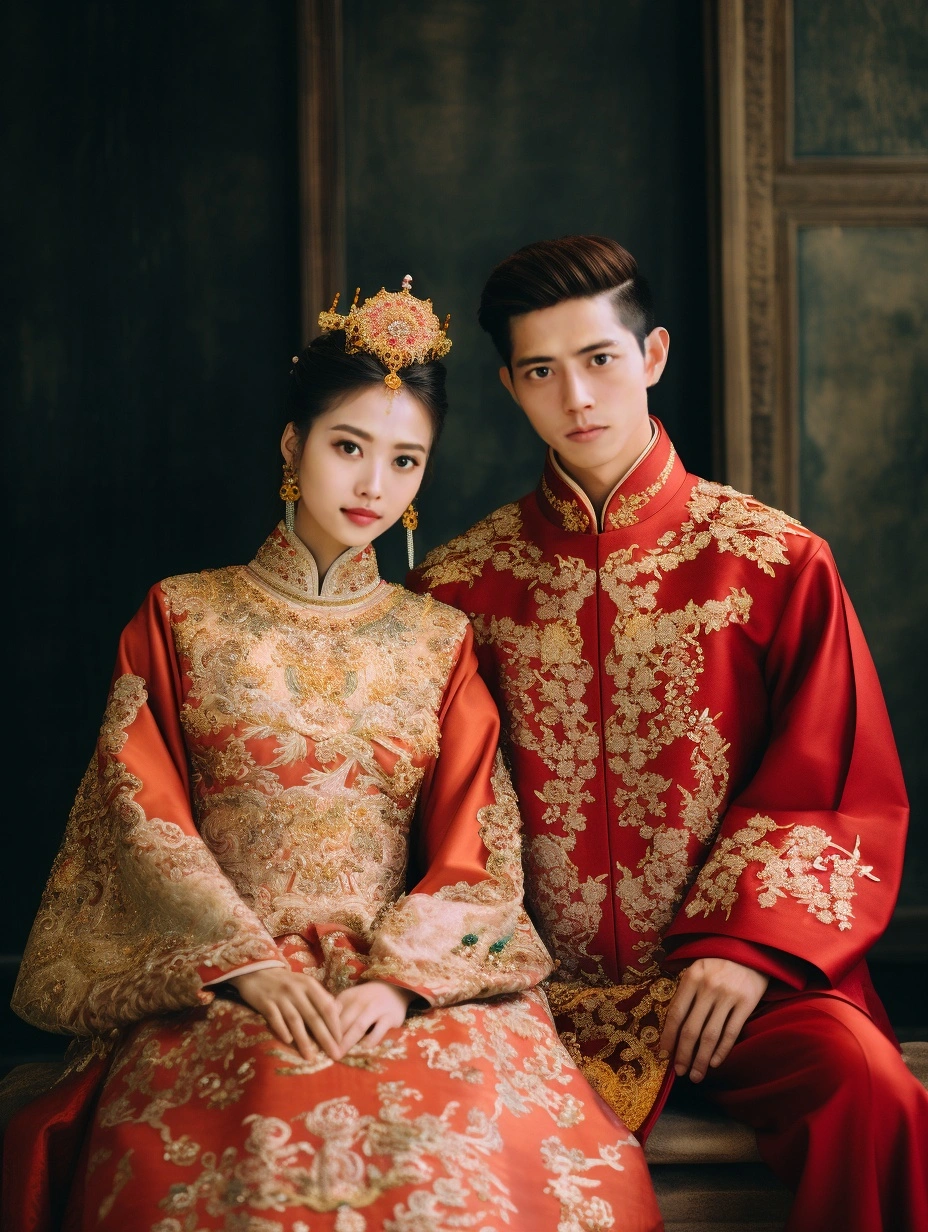
Similarly, when the bot pops up a photo, it means the face-swapping for the elderly (newlyweds) anniversary photo has been successful! Have you learned it?
We’ve learned how to generate base images and use the InsightFaceSwap bot for personalized face-swapping to customize the wedding anniversary photos we need. Now, there are many different styles of wedding anniversary photos, so how do we generate them? Here, I’ve summarized the keyword formula for generating wedding anniversary photos, as well as the five popular styles of wedding photography currently. Let’s try it out together!
1. Outdoor Travel Wedding Photos
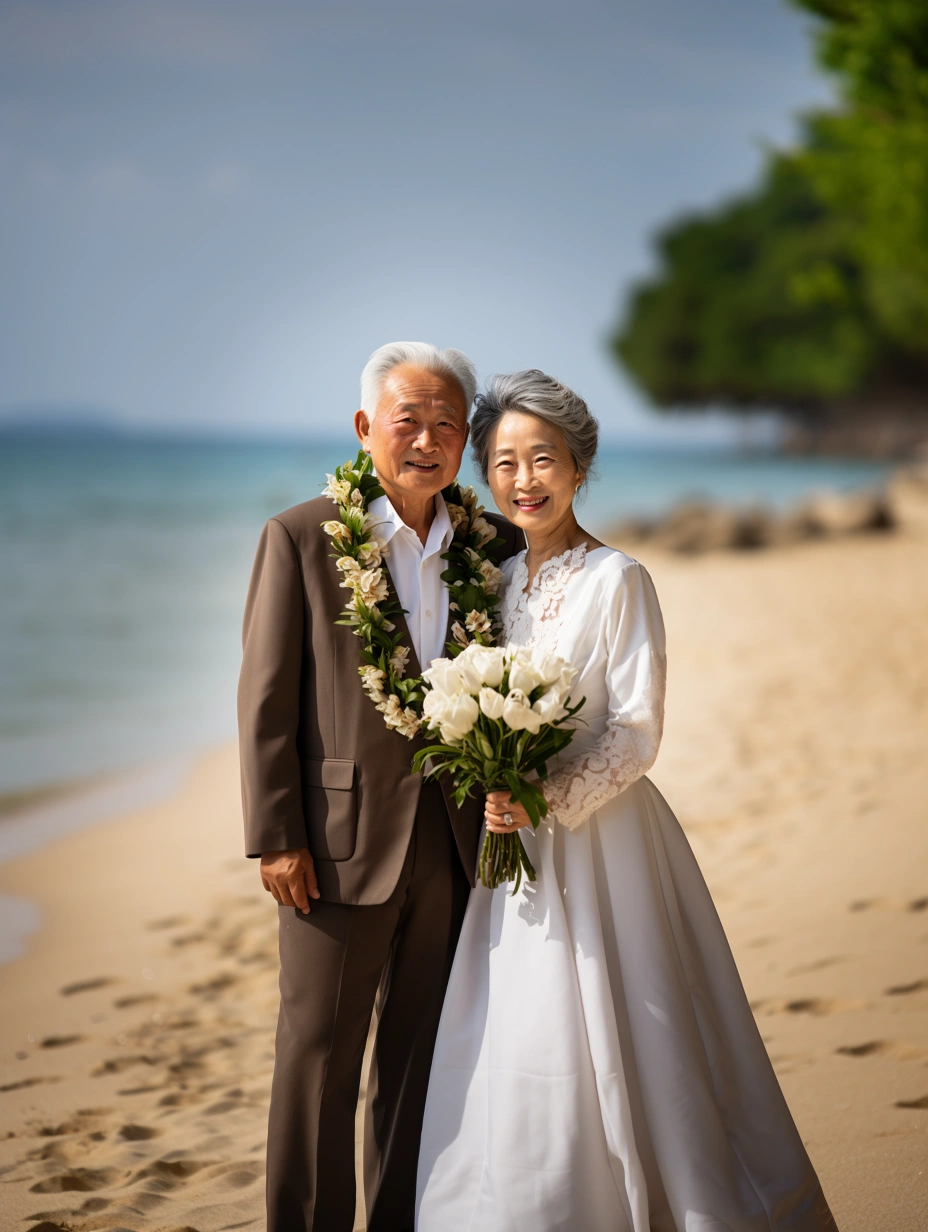
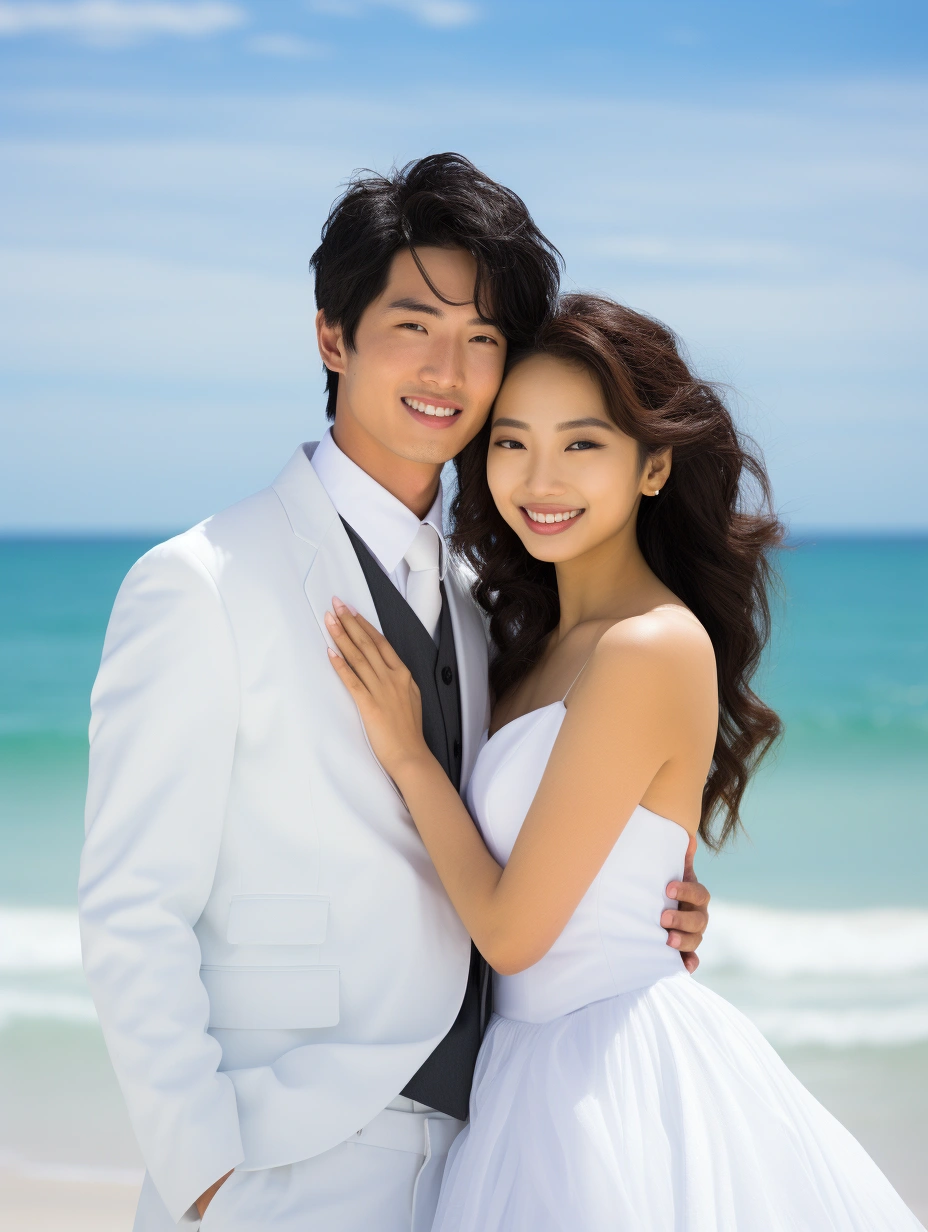
If you want to present an outdoor feeling, you can add “outdoor” to the description words, along with relevant background description words.
2. Portrait Wedding Photos
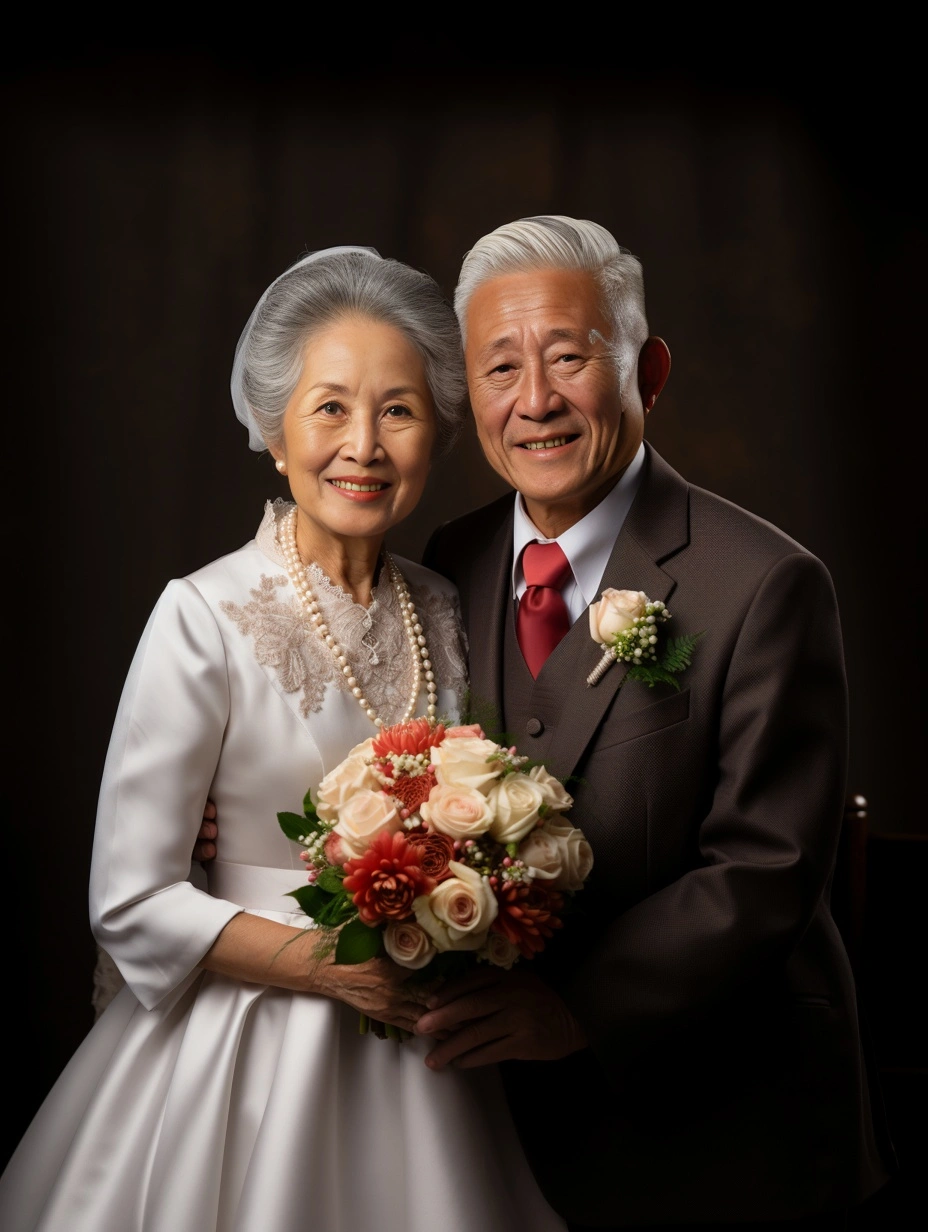
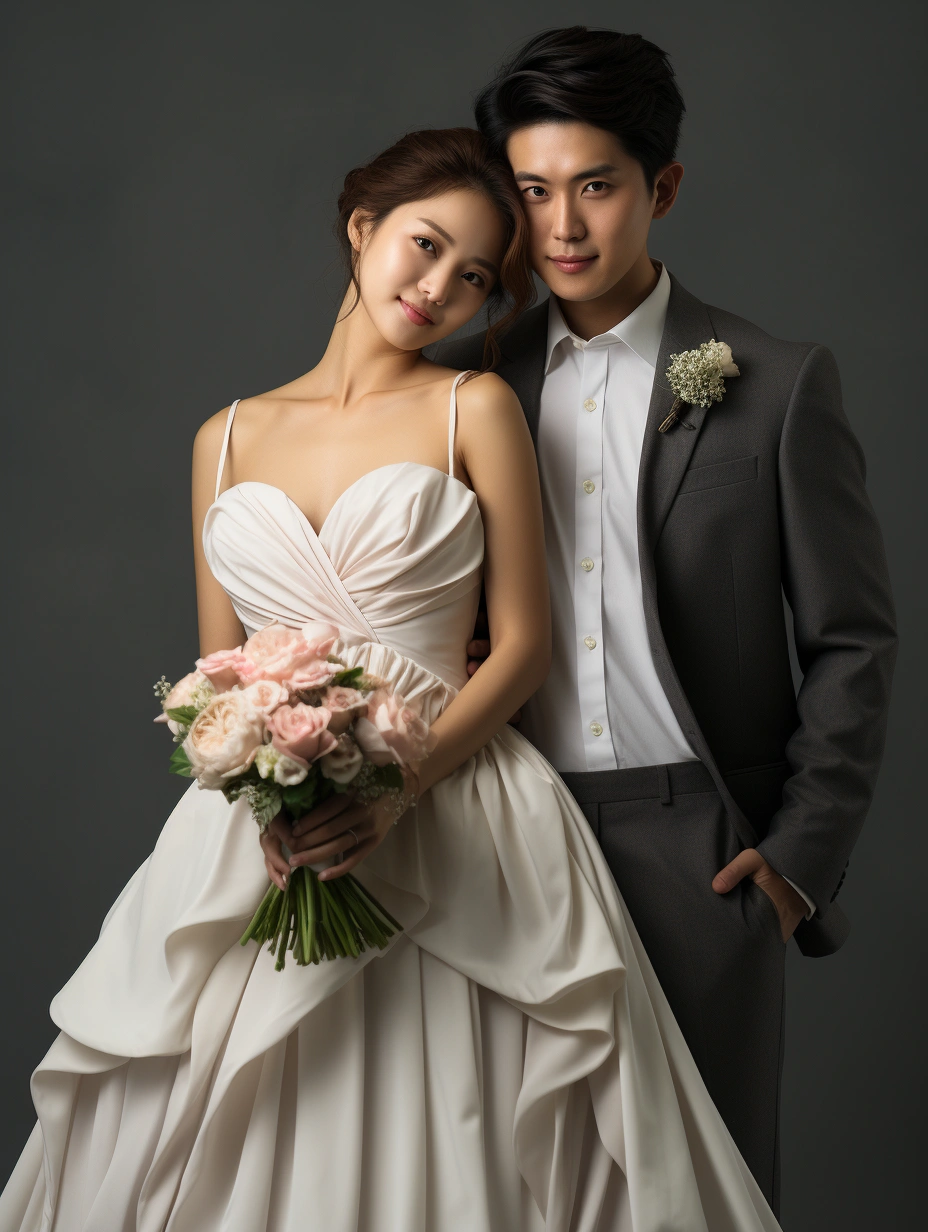
If you want the wedding photo effect to resemble a studio shoot, you can add some commercial photography and lighting parameters to simulate a photography studio.
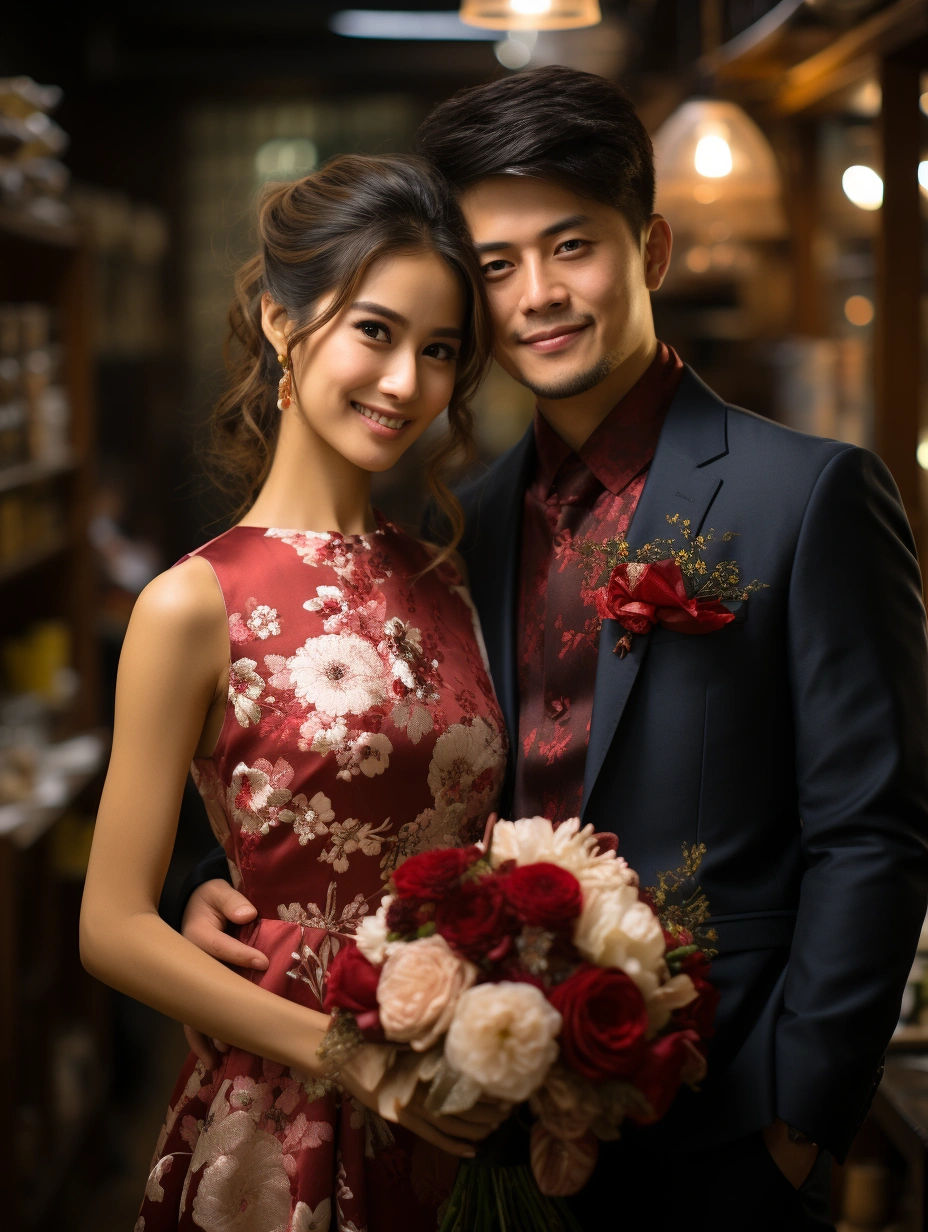
3. Chinese-style Wedding Photos
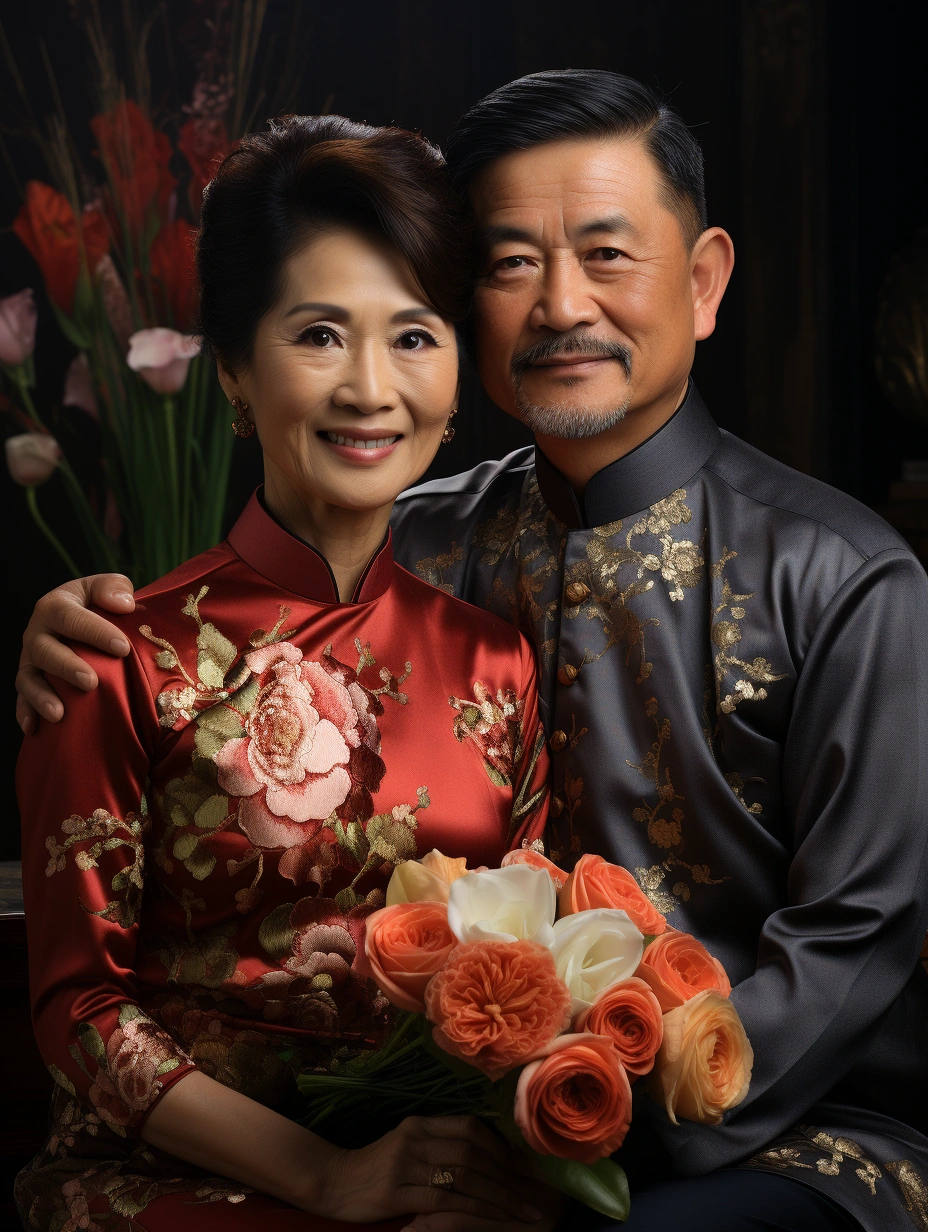
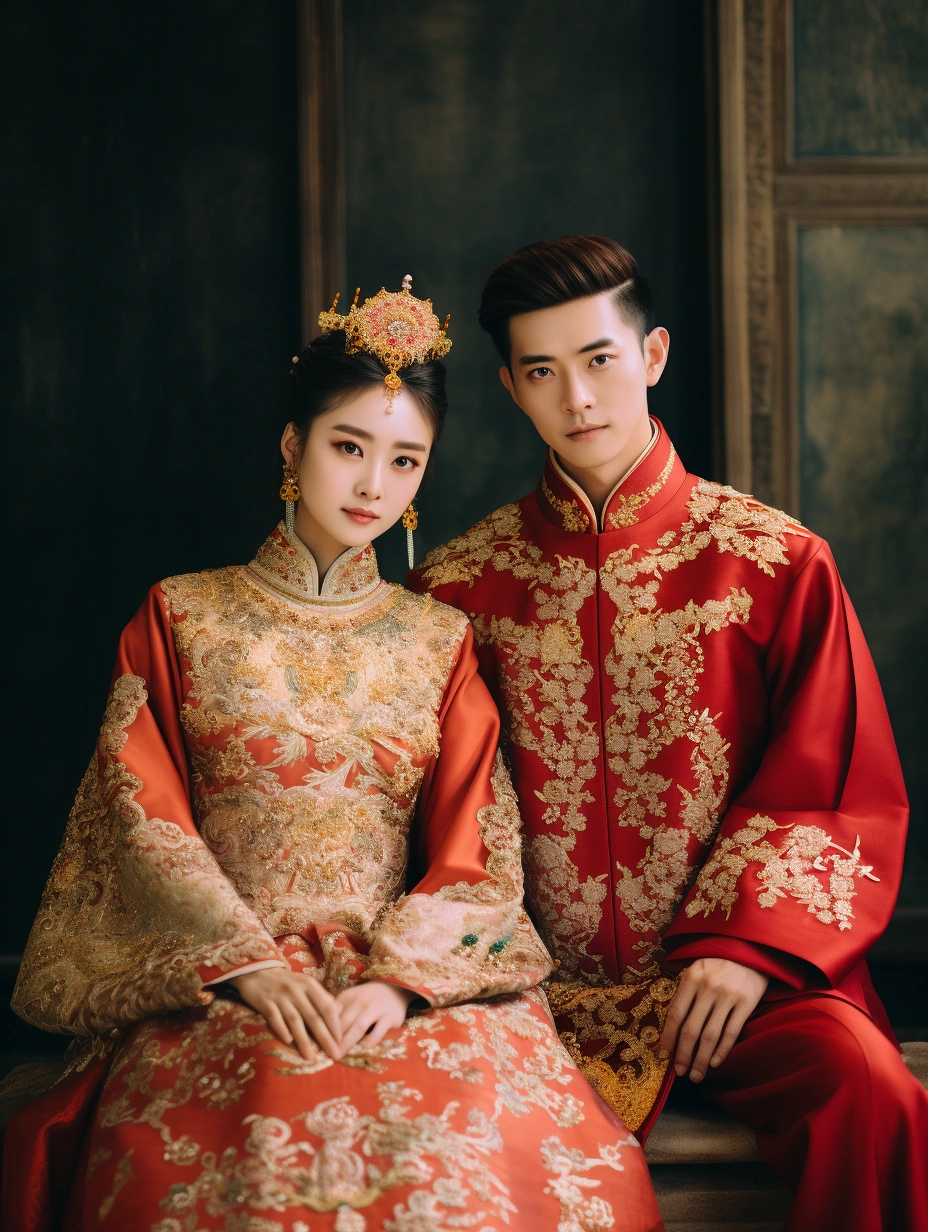
If you like this Chinese style, you can add some Tang Dynasty and Chinese classical elements, such as palaces, etc. If you need to enhance the image precision, you can add camera model and parameters.
4. Emotional Documentary Wedding Photos
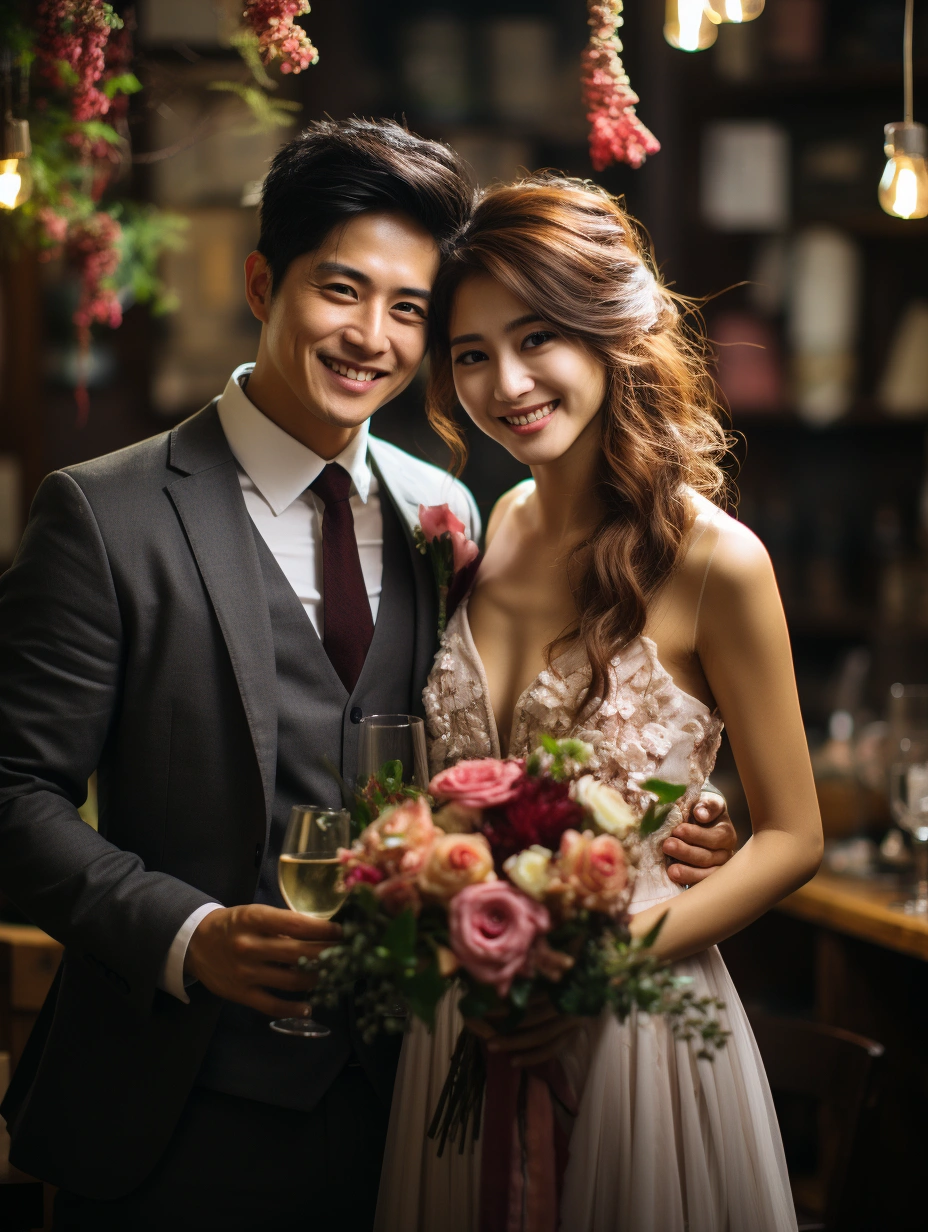
If you prefer a more humanistic atmosphere, you can add some life scene keywords.
5. Q-version Wedding Photos
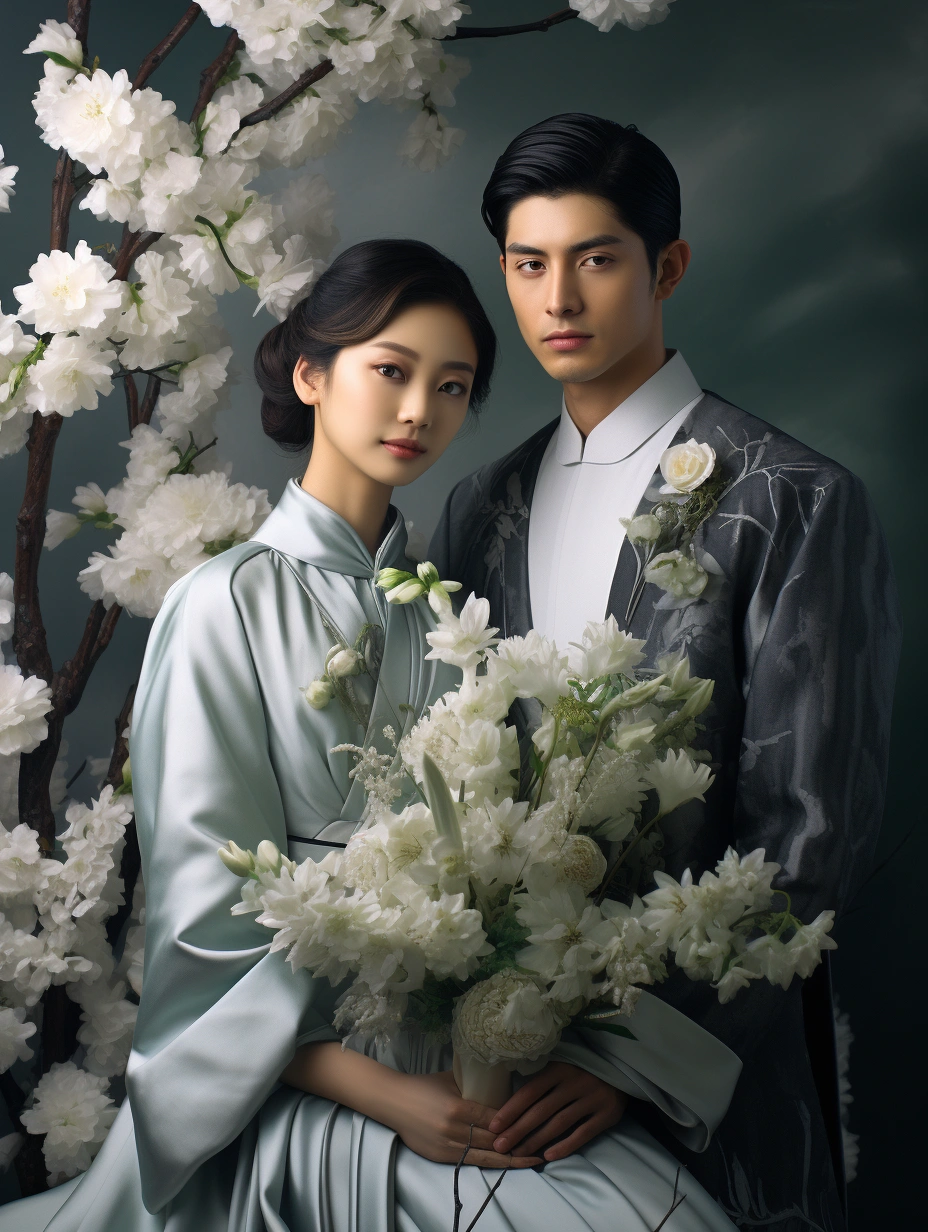
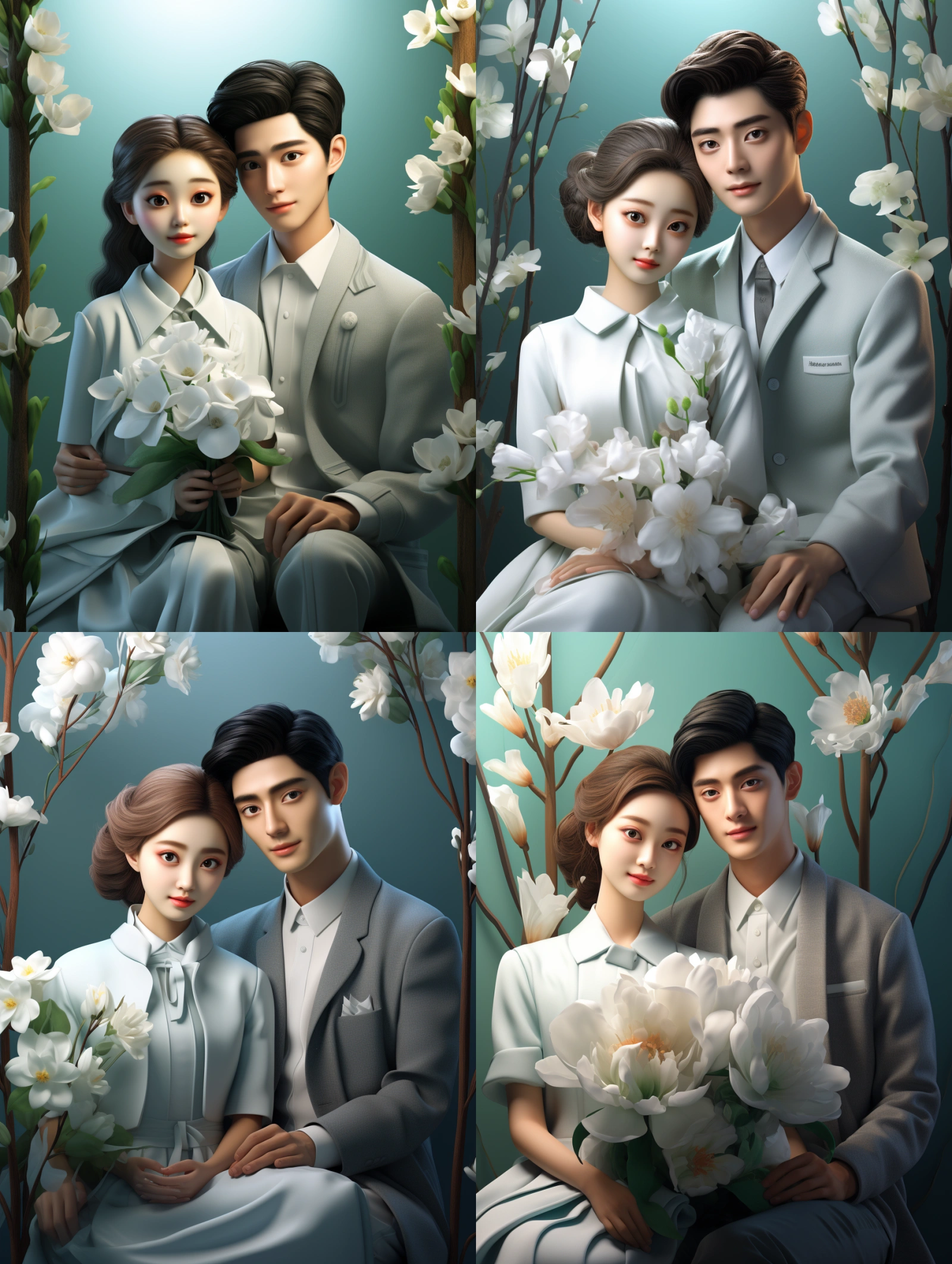
If you like something more unique, you can first generate some cartoon-style wedding photos, such as Disney style, and then use the bot for face-swapping to get a different effect.
Summary
AI-generated wedding anniversary photos have many advantages, but they lack the real sense of participation and emotion, lacking soul; AI-generated anniversary photos also cannot perform real-time interaction and flexible adjustments. It is hoped that in the future, AI can have some professional photography and portrait functions, better character recognition, and simultaneous recognition of multiple characters, enhancing automated post-production. Lastly, and importantly, when using AI to create wedding anniversary photos, it’s necessary to pay attention to protecting personal privacy and never use it for illegal activities.